
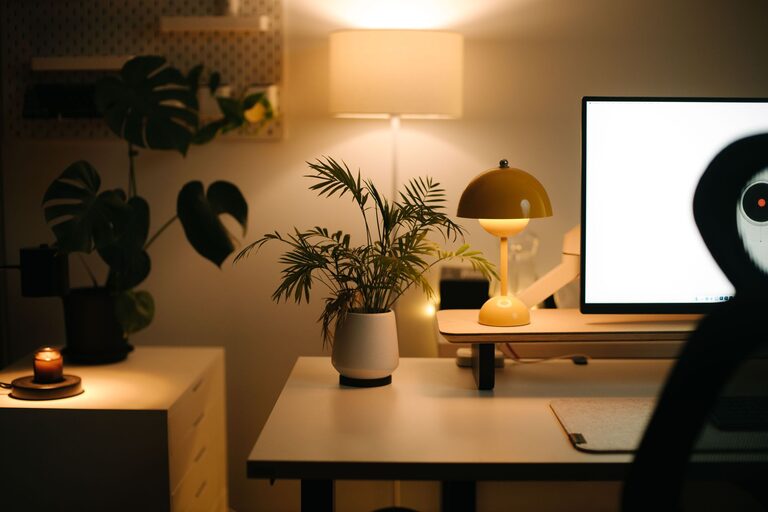
Creating a cozy and inviting home workspace is essential for staying motivated and productive, especially when working remotely or studying from home. A well-designed workspace not only enhances comfort but also promotes focus and creativity. Whether you have a dedicated room or just a small corner, these tips will help you transform your area into a space that feels welcoming and functional.
Choose the Right Location
Consider Natural Light
Natural light has a positive effect on mood and energy. Position your desk near a window if possible. This allows you to enjoy daylight and a pleasant view, making long hours more enjoyable.
Minimize Distractions
Pick a quiet spot away from high-traffic areas in your home. This reduces noise and interruptions, helping you stay focused on your tasks.
Invest in Comfortable Furniture
Ergonomic Chair
A good chair supports your posture and reduces strain. Look for one that is adjustable and has proper lumbar support for long periods of sitting.
Functional Desk
Choose a desk with enough surface area for your computer, paperwork, and any other essentials. If space is limited, consider a wall-mounted or foldable desk to save room.
Personalize Your Space
Add Soft Textures
Incorporate cushions, a throw blanket, or a small rug to create warmth and comfort. Soft textures make the space feel inviting and cozy.
Use Calming Colors
Paint or decorate your workspace with colors that promote relaxation and focus, such as soft blues, greens, or earth tones. Avoid overly bright or intense colors that might cause distraction.
Display Personal Items
Decorate with a few meaningful photos, artwork, or plants. These items can motivate you and give your workspace a personal touch without cluttering the area.
Organize Efficiently
Storage Solutions
Use shelves, drawers, or organizers to keep your supplies tidy and accessible. A clean workspace reduces stress and helps maintain concentration.
Cable Management
Keep cords neat and out of the way using clips, ties, or under-desk trays. This simple step creates a cleaner look and prevents accidents.
Enhance Lighting
Layer Different Types of Light
Combine ambient, task, and accent lighting. A desk lamp with adjustable brightness is helpful for focused work, while softer overhead lighting creates a welcoming atmosphere.
Avoid Glare and Shadows
Position lights to minimize glare on your screen and prevent harsh shadows on your work surface. Proper lighting reduces eye strain and fatigue.
Incorporate Greenery
Indoor Plants
Plants improve air quality and bring life to your workspace. Choose low-maintenance plants like succulents or snake plants for ease.
Nature-Inspired Decor
If plants aren’t possible, consider nature-themed artwork or natural materials like wooden desk accessories to create a calming vibe.
Establish Routine and Boundaries
Define Work Hours
Set clear work hours to separate professional tasks from personal time. This balance helps maintain productivity and reduces burnout.
Create a Start-Up Ritual
Begin your workday with a routine like making coffee, organizing your desk, or reviewing your schedule. This signals your brain to focus and makes the workspace inviting.
Keep Technology Updated
Ensure your computer, software, and accessories function well. Reliable equipment reduces frustration and makes working from home more efficient.
—
By intentionally designing your home workspace with these tips, you can create an environment that feels both cozy and professional. A comfortable and organized space is key to enhancing your focus, reducing stress, and making working from home an enjoyable experience. Remember, even small changes can make a big difference in how you feel about your work area.